JotTask — Tasks & reminders
Simple and clean task manager right on your wrist. Create tasks, set reminders, and effortlessly track your progress.


App Capabilities
Everything you need to manage your tasks and reminders directly on your ZeppOS smartwatch.
Core Task Manager
Create, edit, and delete tasks in seconds directly on your watch screen without extra steps.
Smart Reminders
Set exact alert times — the watch will vibrate or play a sound so you never miss a thing.
Instant Checkmarks
Completed a task? One quick tap on the checkbox and your progress is updated immediately.
100% Offline & Private
No internet, cloud sync, or account required. All tasks stay strictly inside watch storage.
Calendar Overview
Easily check which days of the month have scheduled tasks directly on your wrist.
Recurring Tasks
Fine-tune and customize recurring schedules exactly the way you want.
Voice & Keyboard
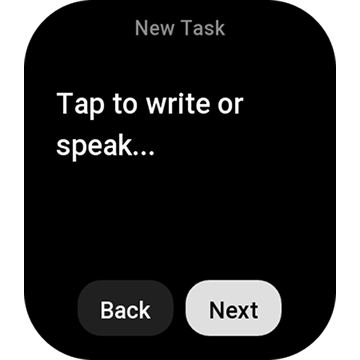
Dictate tasks with your watch microphone or type directly using the built-in keyboard.
App Screens
Click any screen on the left to preview the UI on round or square smartwatches.



Frequently Asked Questions
Quick answers about JotTask features and setup.
Which devices support JotTask?
JotTask supports the full lineup of Amazfit smartwatches running ZeppOS 3.0 and newer (including Balance, Active, Cheetah, T-Rex 3 / Ultra, GTR 4, GTS 4, Bip 6, and others).
Does JotTask require an internet connection?
No, internet is not needed. JotTask runs 100% offline, and all tasks and reminders are stored strictly in local watch memory.
How does voice input work?
On watches equipped with a microphone (Amazfit Balance, Active, Cheetah, GTR 4, etc.), tap the microphone icon to dictate tasks by voice. A touch keyboard is also available.
How do reminders trigger?
At the scheduled time, your watch will vibrate or play a sound (if equipped with a speaker) and display a task alert on screen.

JotTask for ZeppOS 3.0+
Simple and clean task manager right on your wrist. 100% offline without internet.